Real example below — actually generated on imageinto.video
Turn a Product Photo into a Video Ad
No studio, no filming — one product photo becomes a polished showcase clip with camera motion and light. Start from our real earbud-case example below.
The real example — one input, one output
This is not a concept mockup. The video below was generated on imageinto.video with the exact prompt, model and settings shown.
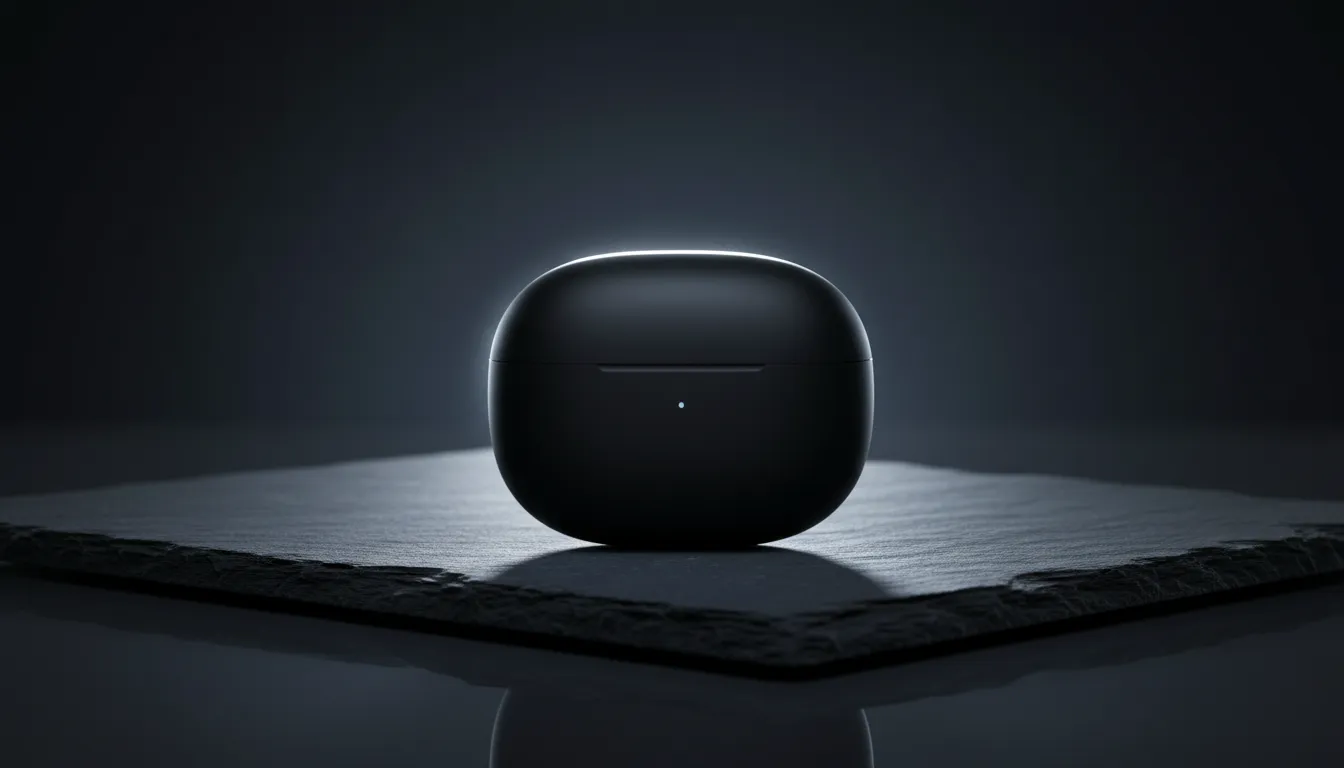 Input — one product photo
- Model
- Wan 3.0
- Observed cost
- ⚡15 credits
- Settings
- 5s / 480p / audio
- Evidence
- Real run, not a mockup
What we observed: The case held its shape, matte texture and logo placement through the push-in; the rim-light sweep gave it a premium-ad feel without adding or warping objects. Watch it above. This is one run on one photo — fine detail behavior varies with the input image, which is why we list the failure modes below.
Cost shown is what this specific run was charged (5s / 480p / audio). Live prices vary by duration, resolution and audio — the generator always shows the exact cost before you pay.
How to make yours in 3 steps
- 1Upload your product photo. One product filling the frame, clean background, good lighting. Reflections and shadows in the photo become part of the motion, so start with a tidy shot.
- 2Describe the motion. Describe camera and light, not the product: "slow dolly-in", "rim light sweeping", "soft reflections". The model keeps the product; you direct the ad. Start from the prompt above and edit it.
- 3Generate and download. Most videos finish in a few minutes. HD MP4, no watermark. Failed renders are auto-refunded.
Prompt template for product photos
A tested starting point — replace the bracketed parts with your photo. (This template is written for reuse; the example above used our verbatim run prompt.)
- · "Keep the product identical in shape, color, proportions" is the anti-warp instruction — put it in every product prompt.
- · Camera verbs (dolly-in, orbit, push-in) read as premium; subject verbs (spins, flies) risk deforming the product.
- · "Avoid introducing extra objects, logos, or text" prevents AI-invented brand marks — important for real store listings.
Which model to pick & what it costs
| Model | One clip | Best for |
|---|---|---|
| Wan 3.0 | ⚡15 · 5s · 480p · audio | Our example — best shape fidelity and light |
| Kling 4.0 | ⚡45+ · 5s · 720p/1080p | Hero-brand spots with per-shot direction |
| H3 Max Turbo | ⚡10 · 5s · 480p · audio | Budget testing across many product angles |
Our example ran on Wan 3.0 at 15 credits (5s, 480p, audio) — the shape fidelity and light handling above are why we pick it first for products. MiniMax H3 Max (from 25 credits) is the step up for hero-brand spots. One real test, not a ranking — A/B the same product prompt on two models with one balance and keep what sells.
One account, one balance — compare all five models with real examples →
What to expect — and what can go wrong
- · Fine geometry can soften — thin edges, grilles and mesh sometimes lose definition during motion.
- · Text and logos on the product usually hold, but small print can shimmer; check frame by frame if it matters for your listing.
- · The model will not invent correct new angles — it animates the photo you give it, so shoot the angle you want.
- · Complex scenes with multiple products increase warp risk; one hero product per clip works best.
Every failed generation on imageinto.video is refunded automatically — you never pay for a broken render.
For multi-shot ads with actors, voiceover and scene changes, template-driven ad makers assemble those faster. Image-to-video shines when the actual product photo itself should move. For batch video across a large catalog, per-unit template tools may be cheaper — our strength is per-product quality, not volume.
product photos — FAQ
How do I turn a product photo into a video ad?
Upload one clean product photo, describe the camera move — "slow dolly-in, rim light sweeping" — pick a model and generate. The earbud-case example above did exactly that in one run with Wan 3.0; its verbatim prompt is there to copy.
What is the cheapest way to make product videos without filming?
Animate the listing photo you already have — no studio, no shooting. A 5-second clip starts at 10 credits (H3 Max Turbo, 480p); our example used Wan 3.0 at 480p for 15 credits. You only pay when a render succeeds — failures are refunded automatically.
Do I need a subscription for product videos?
No. imageinto.video is pay-per-video: one-time credit packs from $9.90, credits never expire, and the exact cost is shown before every generation.
Can I use the video in ads and my store?
The generated MP4 is yours to use — no watermark. You are responsible for having rights to the product photo you upload. Check the ad platform's rules for AI-generated content if you plan to run it as paid media.
Will my logo and packaging stay accurate?
In our example, yes — placement and texture held through the camera move. Very fine print can shimmer; keep the anti-warp line in the prompt and inspect the result.
Does it work for apparel and jewelry?
Yes, with the same rules: one hero item, gentle camera motion, anti-warp prompt. Fabric and chains are mid-difficulty — expect to iterate once or twice.